Test game: code explorer
This example uses the code explorer on the small test game of the tutorial, test_app/dummy_game.c. It goes from a button's text to the function that pays out gold, and ends with a native script that gives 500 gold through that function. It takes about ten minutes and needs no knowledge of assembly beyond reading along.
Reading assembly
The assembly quick reference explains registers, operands and the instructions this page shows, and how to read a function line by line – add_gold and on_treasure included.
The test game is a native C program without an engine, like a game with an engine of its own. Grembyte has no catalog of classes for it: the way in is its machine code.
Build and start the game
As in the tutorial (needs gcc and the GTK 3 development packages):
mkdir -p build
gcc -O2 test_app/dummy_game.c -o build/dummy_game.exe $(pkg-config --cflags --libs gtk+-3.0)
./build/dummy_game.exe
Attach Grembyte to dummy_game.exe and open View → Code explorer …. The module dummy_game.exe is chosen already; after a moment the status line reads something like dummy_game.exe: ELF, 64-bit, image base 0x400000; 45 functions, 65 strings, 262 references.
Your addresses differ
The addresses and byte patterns on this page come from GCC on Fedora, which builds this command without position-independent code (image base 0x400000). Another compiler version, other flags or a distribution that builds position-independent executables by default (Debian, Ubuntu: image base 0) give other addresses and patterns; the steps are the same. Copy patterns from your own code explorer, not from this page.
1. From the button to its handler
The game has a button Find treasure (+20-30 gold). Its text has to be somewhere in the program:
- Type
treasureinto the filter of the Strings tab and selectFind treasure (+20-30 gold). - The references list shows one instruction, in
on_activate: the function that builds the window. Double-click it.
The disassembly opens at the instruction loading the text, right before the call that creates the button:
0x4009a1  call 0x4003e0                 gtk_button_new_with_label
0x4009a6  mov edi, 0x4019cd             "Find treasure (+20-30 gold)"
Further down, the same function connects every button to its handler. The comments name what the instructions load:
0x400a51  mov edx, 0x400c40             on_treasure
0x400a56  mov esi, 0x401a12             "clicked"
0x400a5b  call 0x400450                 g_signal_connect_data
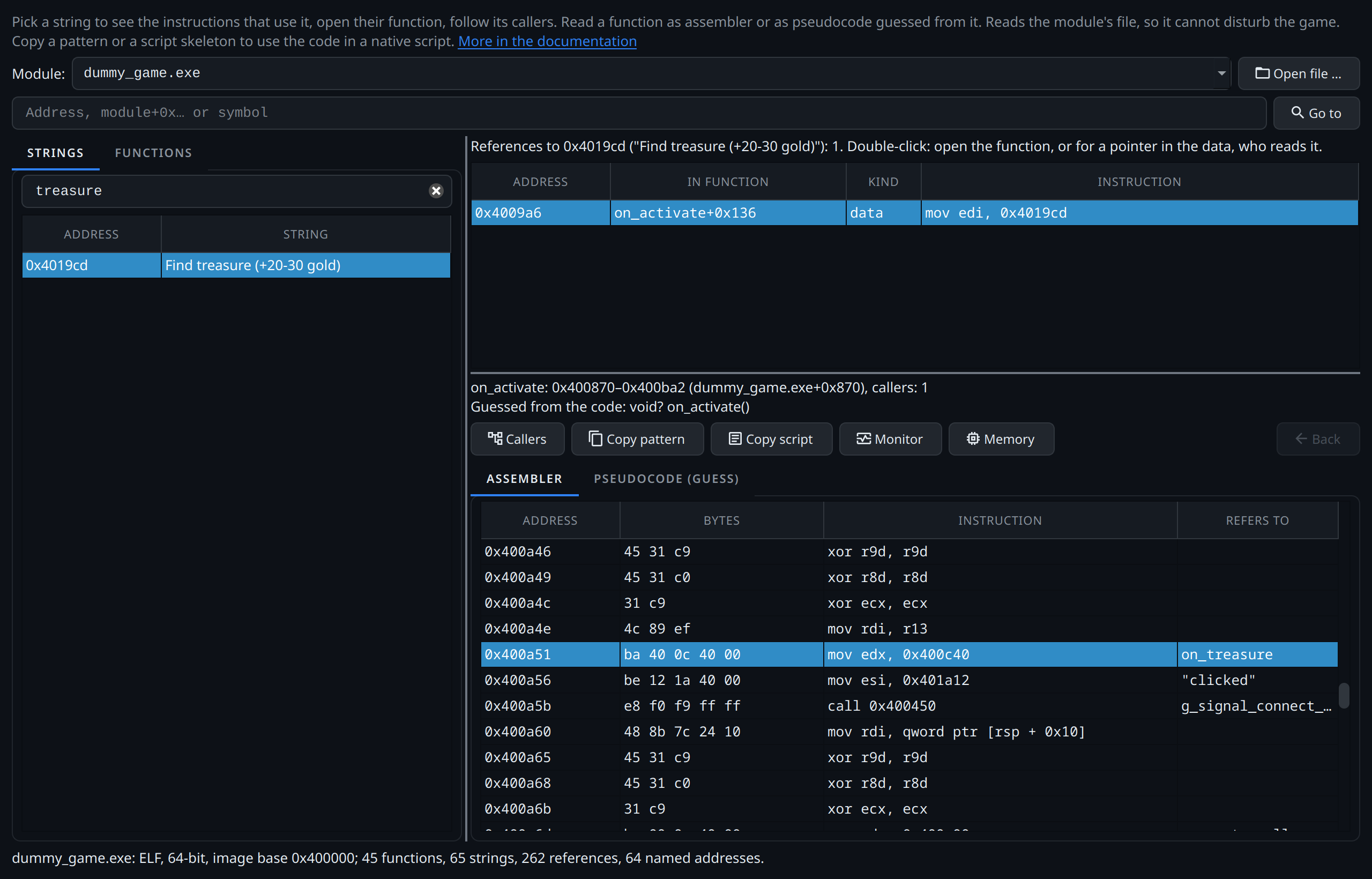
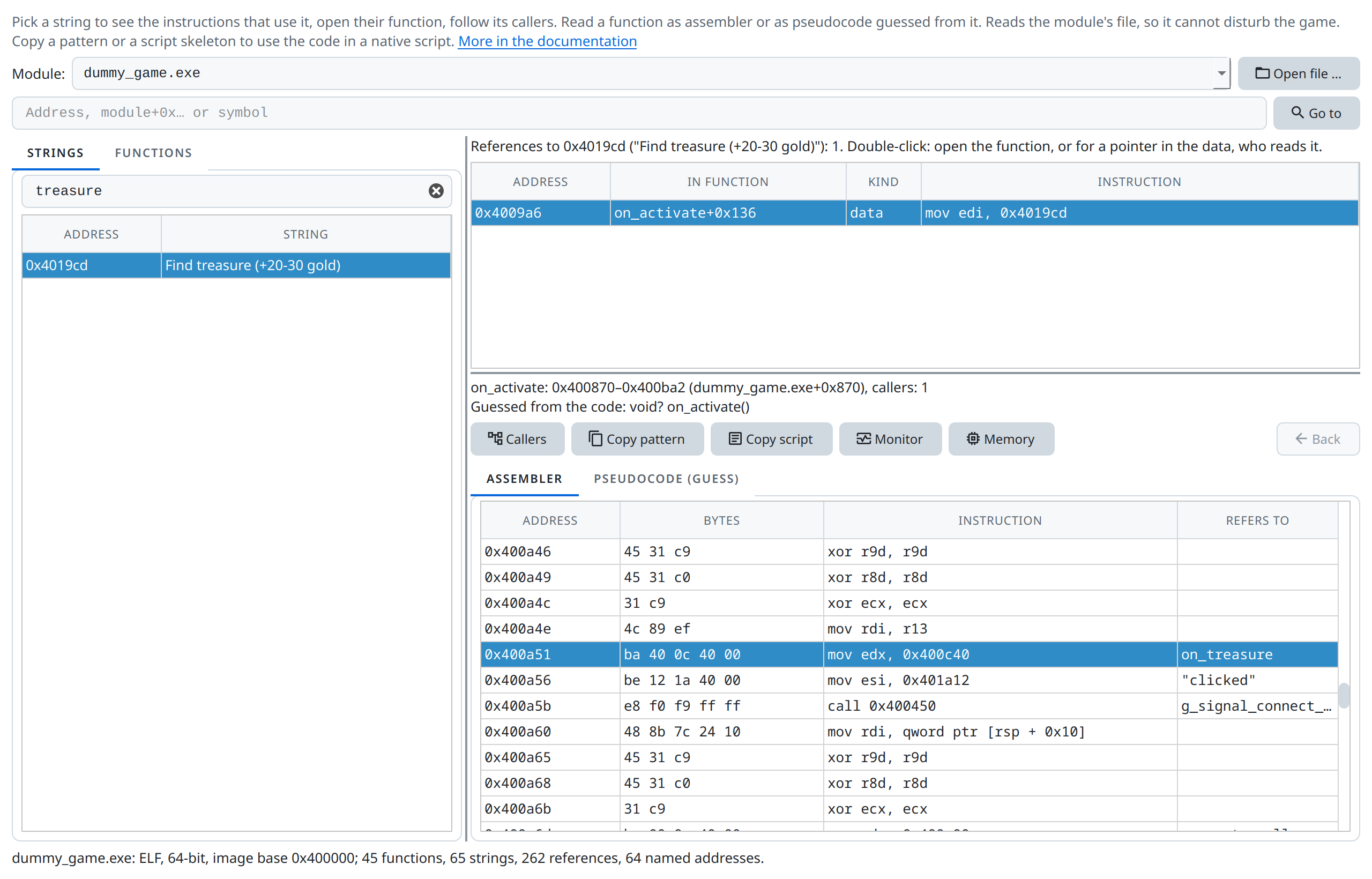
Find treasure (+20-30 gold) has one reference, in on_activate. Further down in that function, on_treasure is handed to g_signal_connect_data for "clicked"."When clicked, call on_treasure." The names come from the program's symbols and imports; in a stripped game the handler would read sub_400c40, which leads to the same place.
2. What the handler does
Double-click the line with on_treasure. The function is short:
0x400c44  call 0x4003a0                 rand
  …                                     (the remainder of rand() % 11, plus 20)
0x400c69  call 0x4006d0                 add_gold
0x400c72  jmp 0x4007b0                  refresh_ui
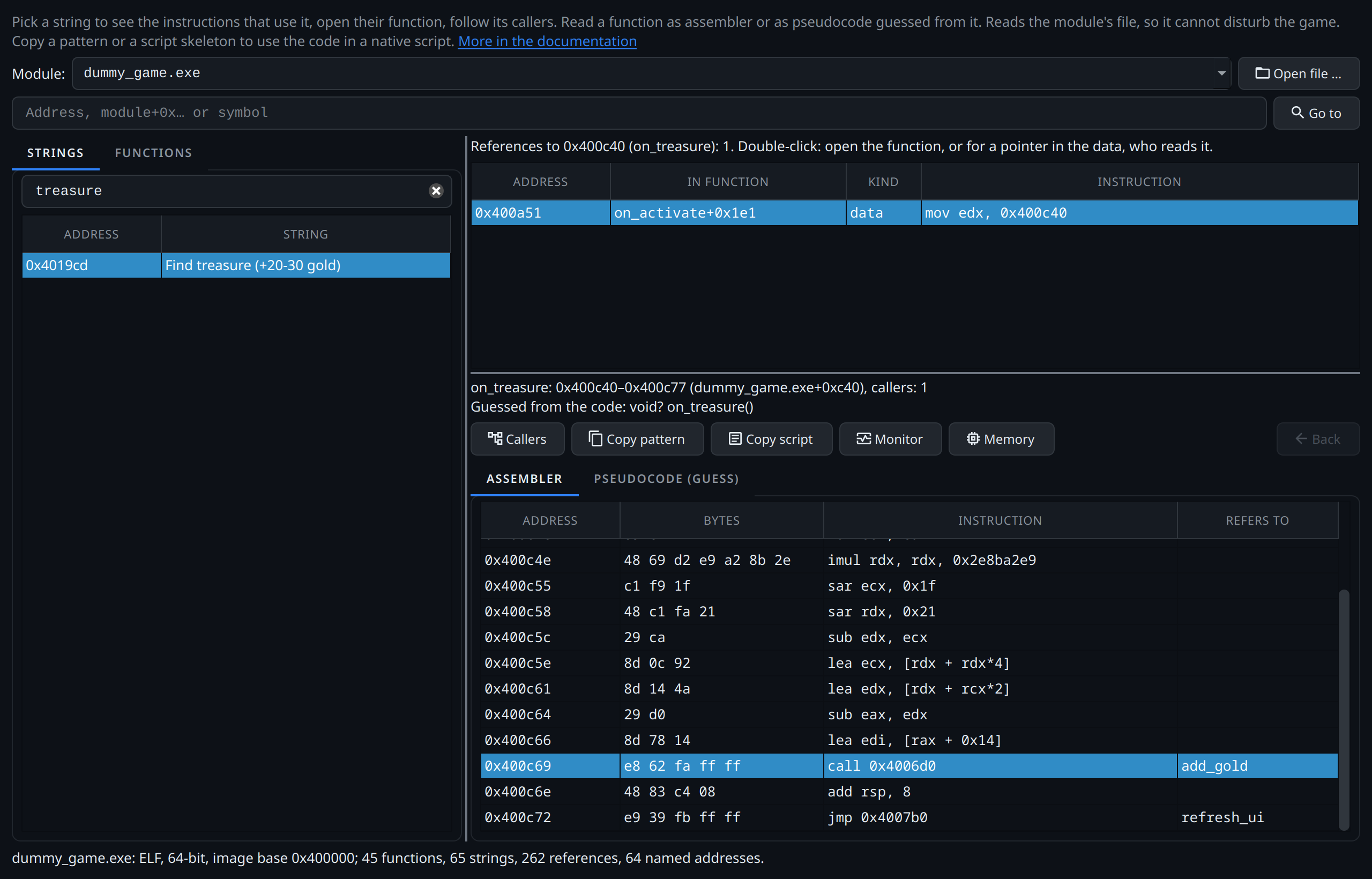
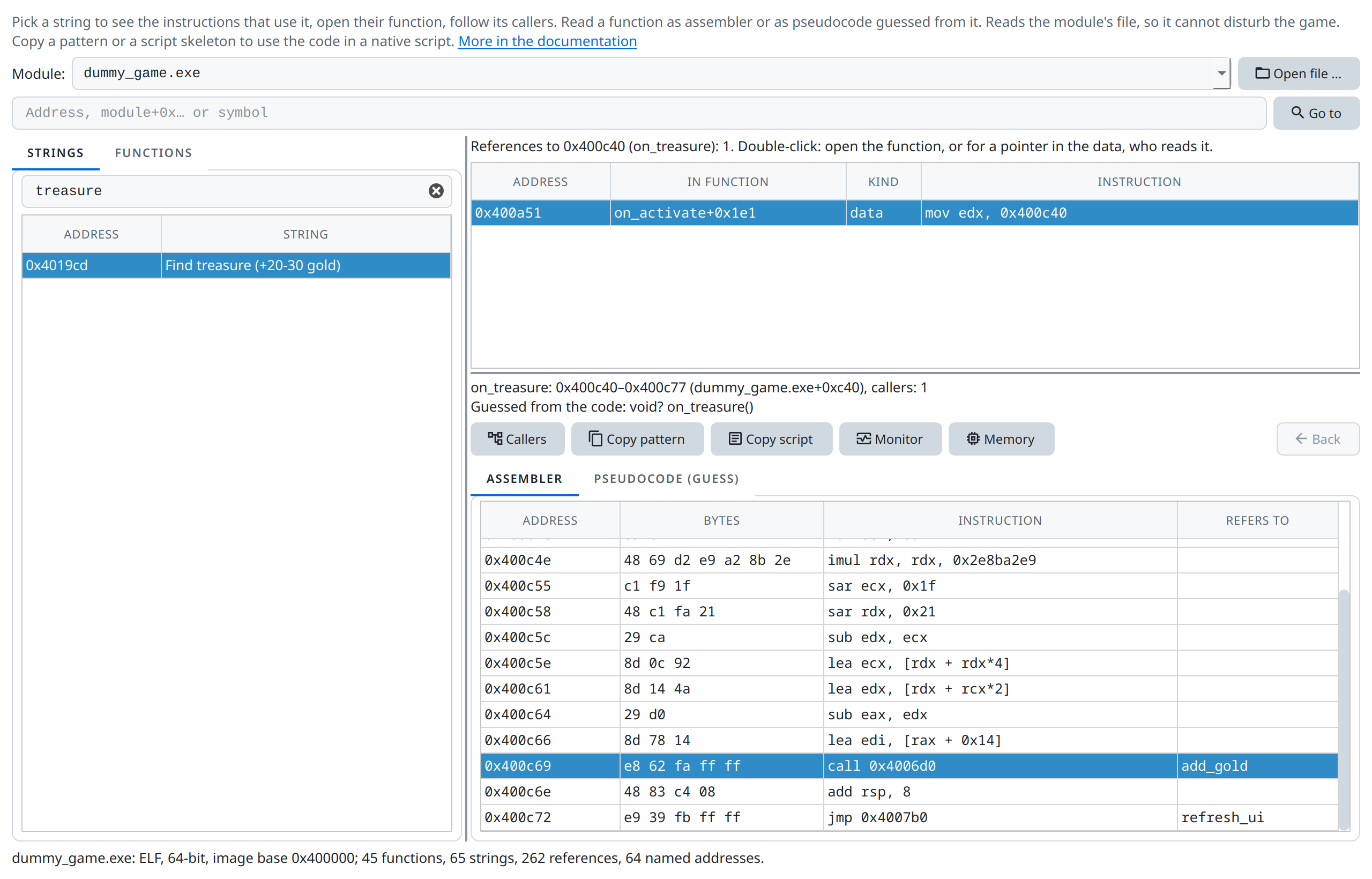
on_treasure calls rand, then add_gold with the result, then refresh_ui. Above it, the instruction in on_activate that refers to it.It rolls a random number, calls add_gold with it and refreshes the window. Double-click the add_gold line:
0x4006d0  mov rax, qword ptr [rip + 0x2a31]    g_game
0x4006d7  mov rax, qword ptr [rax + 0x28]
0x4006db  add dword ptr [rax], edi
0x4006dd  ret
Four instructions, and they are the pointer chain of the tutorial: read the global g_game, take the pointer at +0x28 (the player), add the first argument (edi) to the value at +0x0 (the gold). The pointer scan finds the same chain from the other end.
Callers lists two calls of add_gold: from on_treasure and from on_gold_add (the Gold +100 button). Back returns to the previous function.
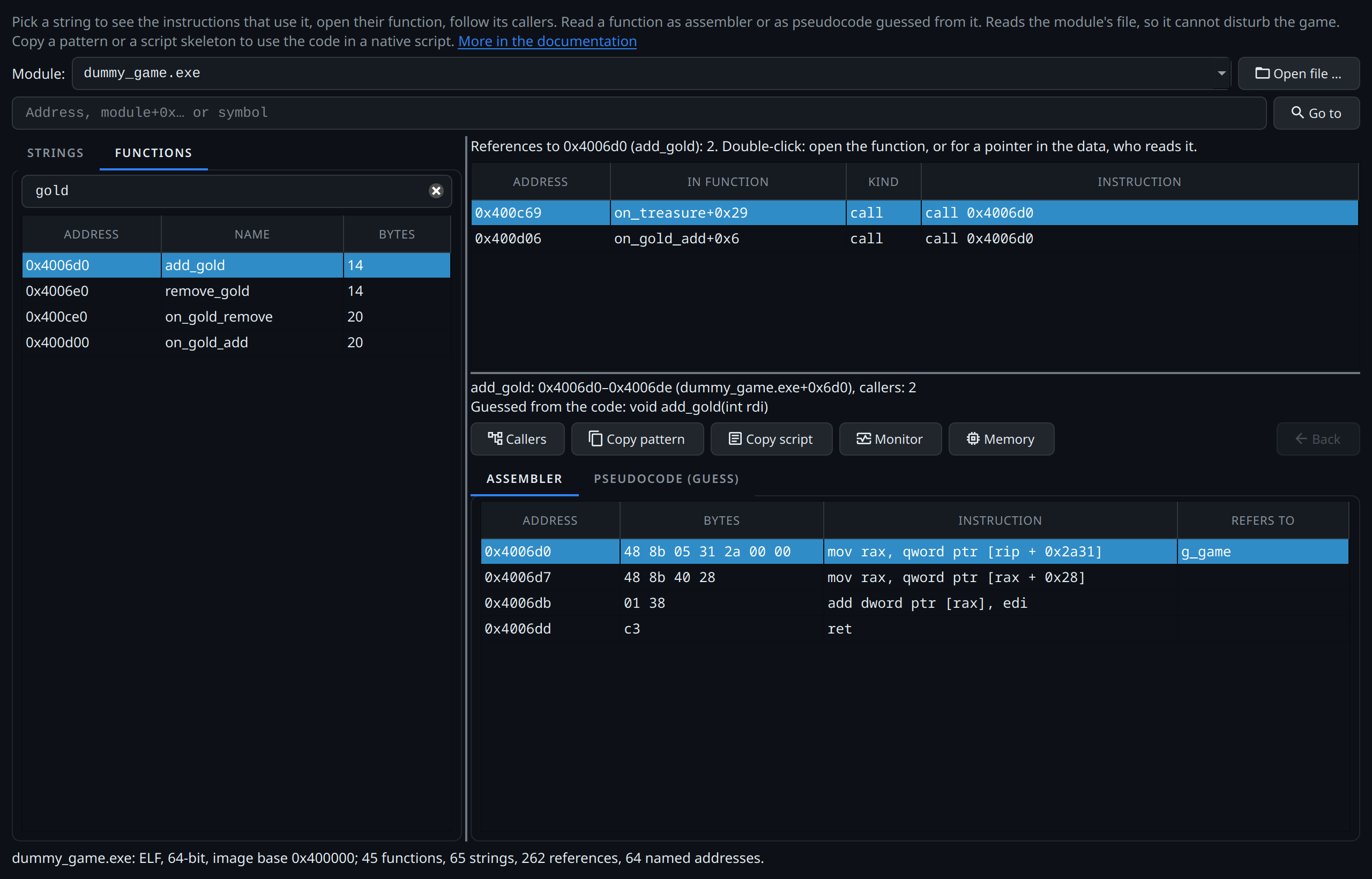
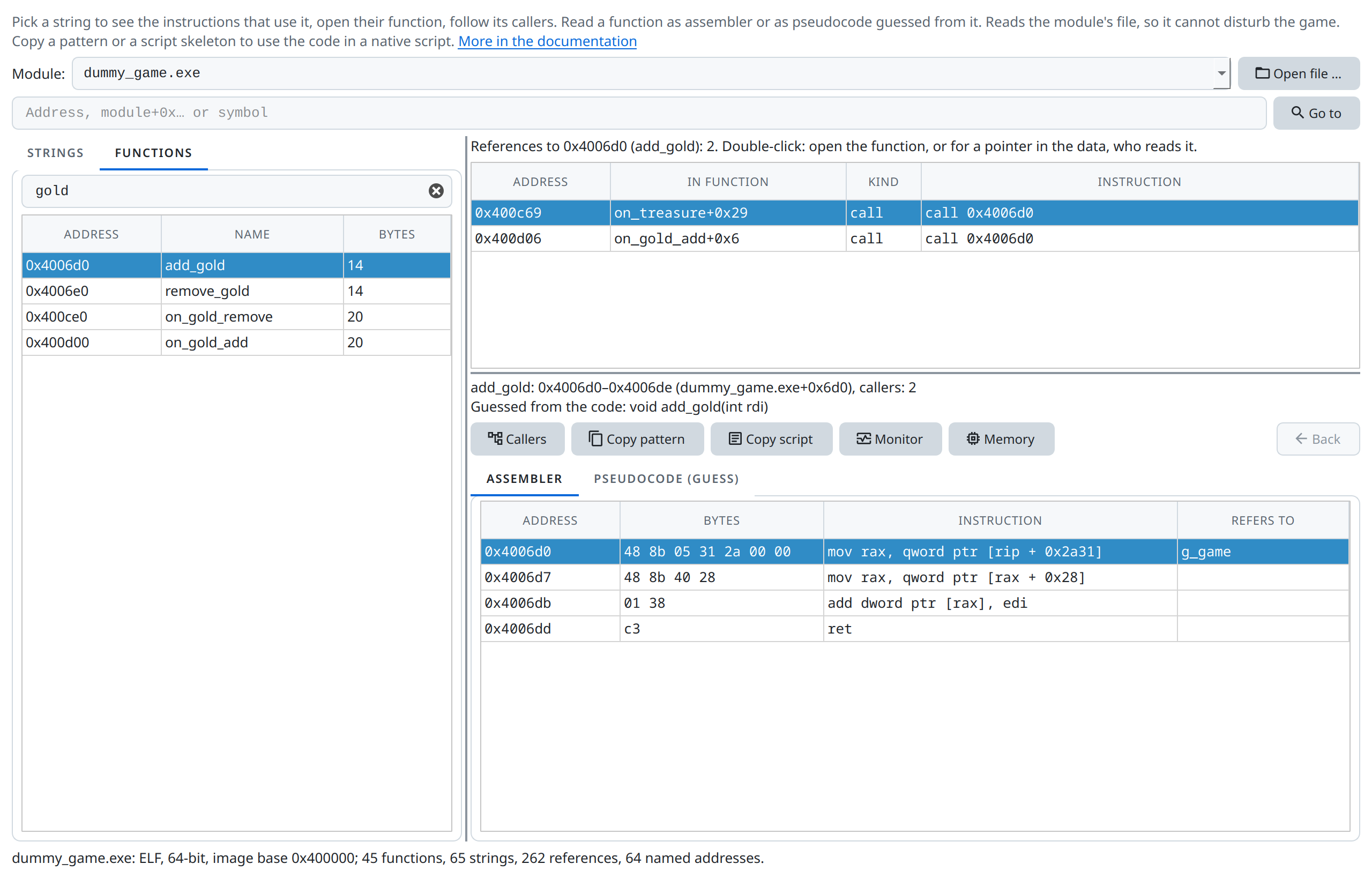
add_gold in the Functions tab: four instructions, its signature guessed from them, and its two callers above.Who else uses the player?
Go to g_game lists every instruction that reads the global: add_gold, remove_gold, change_mana, add_experience, refresh_ui, new_player … – a map of everything that touches the player.
3. Watch it run
Select the first line of add_gold and click Monitor. The native function monitor opens with the function. Click Find treasure in the game: each click logs a call whose first argument is the amount, between 20 and 30.
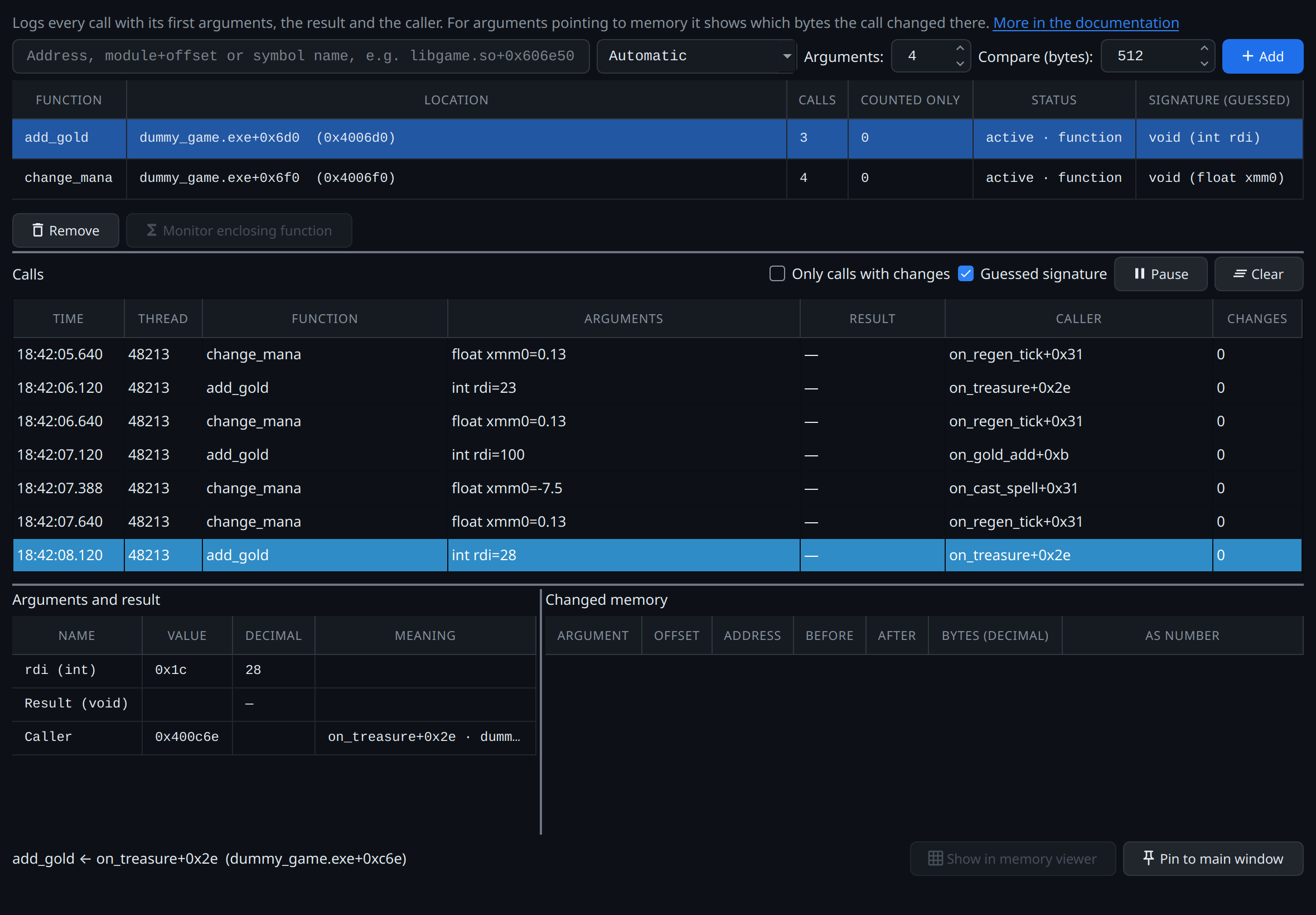
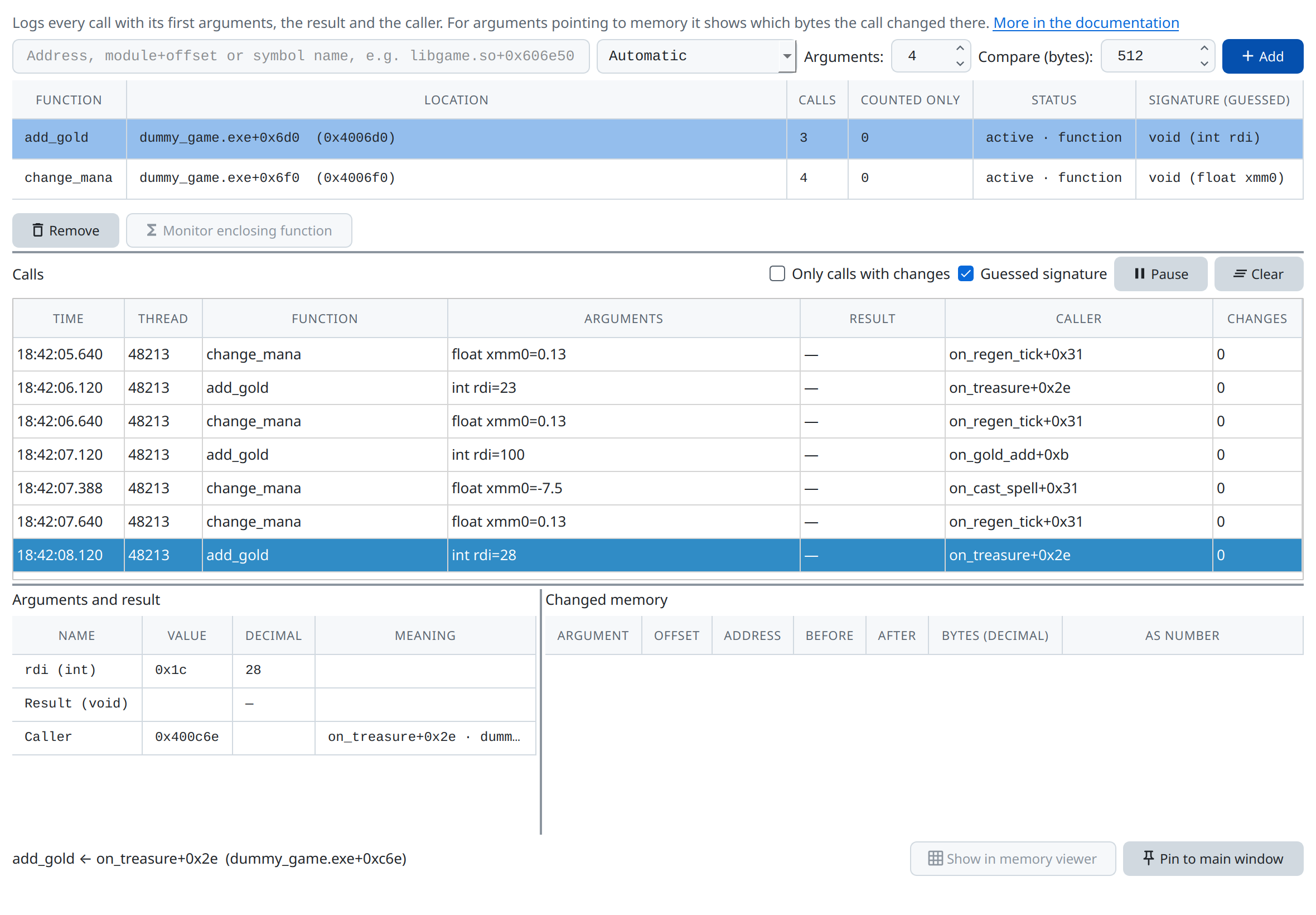
add_gold and change_mana in the native function monitor, with their guessed signatures: the gold of Find treasure and Gold +100, the mana of a spell and of every second.4. What add_gold takes
To call a function from a script, ctx.native.fn needs its return type and argument types. (Registers, their 32- and 8-bit names and the instructions below are explained in the assembly quick reference.) A game without debug information states them nowhere; they are read from the machine code. That works well, because the calling convention fixes where arguments arrive:
| Linux (System V, x86-64) | Windows and Wine/Proton (x64) | |
|---|---|---|
| Integers and pointers, arguments 1–4 | rdi, rsi, rdx, rcx |
rcx, rdx, r8, r9 |
| Arguments 5 and 6 | r8, r9, then the stack |
from the 5th on the stack |
float and double |
xmm0–xmm7 |
xmm0–xmm3, at the argument's position |
| Return value | rax, or xmm0 |
rax, or xmm0 |
| C++ methods | this is the first argument (rdi) |
this is the first argument (rcx) |
Which argument registers does the function read before writing them?
mov rax, qword ptr [rip + 0x2a31]   ; g_game: a global, no argument
mov rax, qword ptr [rax + 0x28]
add dword ptr [rax], edi            ; edi is read without being set first: argument 1
ret
ediis read, so there is a first argument.rsi,rdxand the others do not appear: there is no second one.- Width:
ediis the 32-bit half ofrdi, so the argument is anint. All ofrdiwould mean a pointer or a 64-bit integer; a pointer gives itself away by being used as an address, as in[rdi + 0x28]. Onlydil(8 bits, often intest dil, dil) means abooloruint8. - Sign:
adddoes not tell;movsxdor a signed comparison (jl,jg) would."int"is right either way. - Return value:
raxholds something at theret, but only the player pointer as an intermediate result. Whether it is a return value only the callers tell.
What do the callers set before the call, and read after it?
Callers leads to them. In on_treasure:
call rand
…                              ; the remainder of rand() % 11
lea  edi, [rax + 0x14]         ; edi = remainder + 20: the argument, 20 to 30 gold
call add_gold
add  rsp, 8                    ; eax is not used after the call
jmp  refresh_ui
- Before the call only
ediis set: one argument, and its meaning, the amount of gold. - After the call nobody reads
eax: the function returns nothing ("void"). Callers readingeaxorraxright after a call (test eax, eax,mov [...], eax) show a return value;alalone abool,xmm0afloatordouble. - With several callers, compare them: a register all of them set is an argument; one only some set is chance.
So add_gold is void add_gold(int amount), in a script n.fn(at, "void", ["int"]).
Grembyte guesses it too
The code explorer does this reading for every function it opens: the line above the disassembly says Guessed from the code: void add_gold(int rdi). The native function monitor uses the same guess: its column Signature (guessed) reads void (int rdi), the log shows int rdi=23 instead of four registers, and the result — instead of whatever rax happens to hold. For change_mana (Cast spell, and every second while the mana regenerates) it reads void (float xmm0), and the log shows the amount: float xmm0=-7.5, or 0.13. Copy script writes the guess into the n.fn line (step 5).
It is a guess from the code in address order, so the ways above to check it still matter: a function that only passes an argument on to another one (a tail call) shows fewer arguments than it takes, and one that callers reach only through a pointer (like on_treasure, a GTK callback) gets its return type from its own code, marked with ?. Untick Guessed signature in the monitor to see the raw registers again.
Check it while the game runs
The native function monitor (step 3) logs each call's argument registers, its result and its caller, and shows the bytes an argument points to if it is an address. For add_gold the first argument reads 20 to 30 with every Find treasure: the gold. That confirms a guess before a script calls the function itself.
Hints in the game itself
- Symbols: Linux games are often not stripped. A C++ name such as
_ZN6Player7AddGoldEiturns intoPlayer::AddGold(int)withc++filt,thisincluded. The test game's symbols are plain C names: they give the name, not the types. - Assert and log texts: some games keep whole signatures in their messages, e.g.
int __cdecl RegisterCVar(const struct String &, …). The Strings tab finds them. - Imported functions (
SDL_…,gtk_…,kernel32.dll!…) have documented signatures, which tell what a function does with the values it passes on.
When a guess is wrong
| Wrong guess | Effect |
|---|---|
| More arguments than the function takes | Harmless: it ignores them. |
| Fewer arguments | It reads whatever is in the register: a wrong number, or for a pointer most likely a crash. |
| A number where it expects a pointer, or the other way round | Almost certainly a crash once the function uses the value as an address. |
"void" instead of a return type |
Only the result is lost. |
A return type for a void function |
A random number; no harm done. |
This is why small functions with plain arguments, like add_gold, are the best ones to call from a script. A function that expects an object (this, or another pointer) is only worth calling if the script has that object, for example from a global like g_game.
5. Call it from a script
With add_gold open, click Copy script. The clipboard now holds:
// add_gold: found by its bytes, not by a fixed address
const n = ctx.native;
const at = n.scan("48 8B 05 ?? ?? ?? ?? 48 8B 40 28 01 38");
// Guessed from the code, check it in the disassembly: void add_gold(int rdi)
const fn = n.fn(at, "void", ["int"]);
// fn(1);
return String(at);
The pattern is the function's first bytes; the address of g_game inside the first instruction became ?? ?? ?? ??, because a new build of the game moves it. The n.fn line carries the signature Grembyte guessed: one int in edi, nothing returned, as step 4 found by hand. Do the same for refresh_ui (open it from on_treasure, Copy pattern), so the window shows the new gold at once.
In the Scripts tab create a script, When: Only when run by hand, with this code (use your own patterns):
// Test game: 500 gold through the game's own functions
const n = ctx.native;
// add_gold(int amount): mov rax, [g_game] / mov rax, [rax+0x28] / add [rax], edi
const addGoldAt = n.scan("48 8B 05 ?? ?? ?? ?? 48 8B 40 28 01 38");
const addGold = n.fn(addGoldAt, "void", ["int"]);
// refresh_ui(): shows the new values in the window
const refreshUi = n.fn(n.scan("53 BA ?? ?? ?? ?? BE 00 01 00 00 48 81 EC 00 01 00 00"), "void", []);
addGold(500);
refreshUi();
// Read the gold back: g_game is what add_gold's first instruction loads
const gGame = n.rip(addGoldAt, 3, 7);
return `Gold: ${gGame.readPointer().add(0x28).readPointer().readS32()}`;
Run now. The game shows 500 more gold, and the log reads:
No engine adapter: scripts run natively each time g_main_context_iteration returns on the game's main thread.
= "Gold: 600"
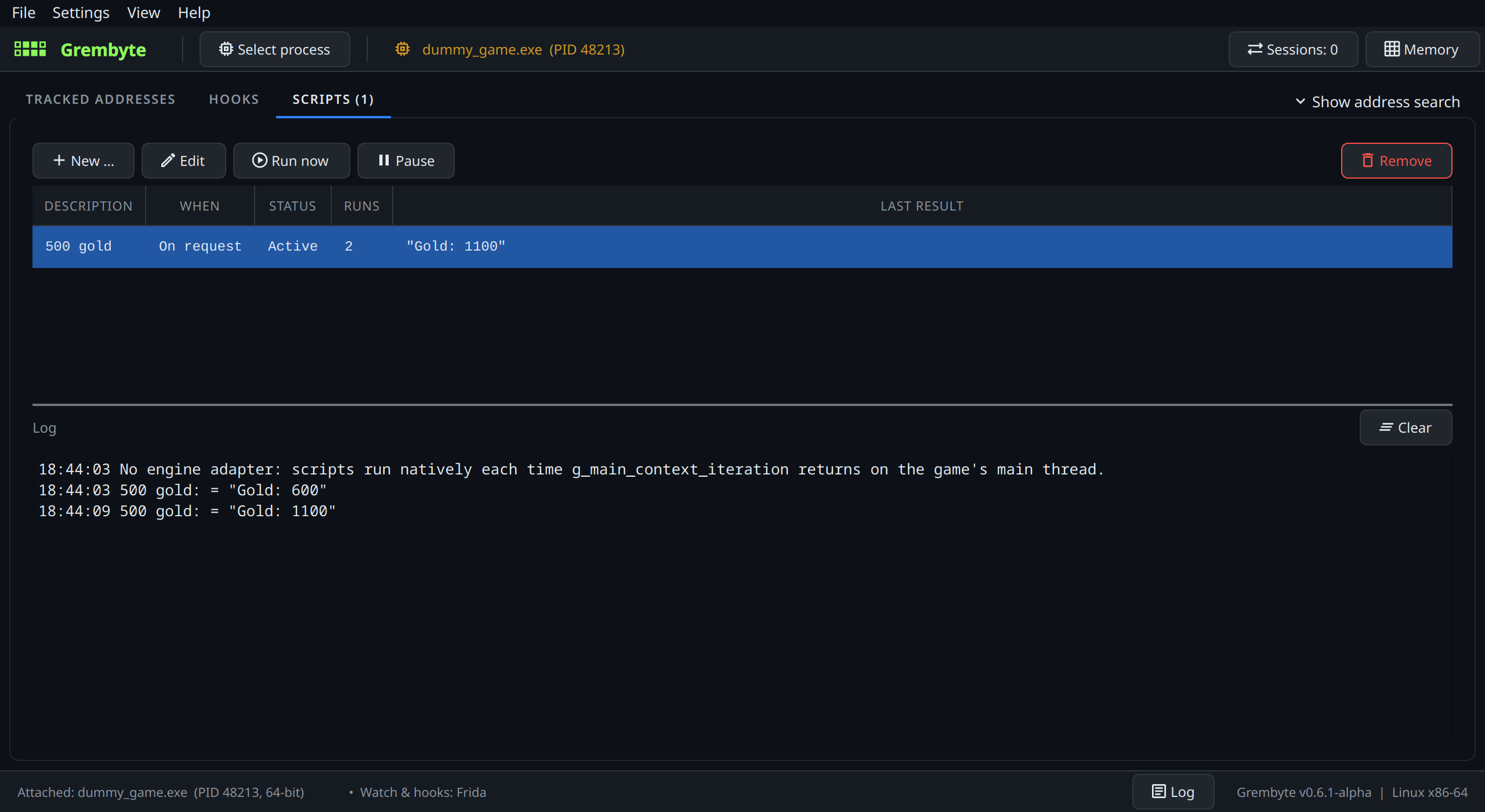
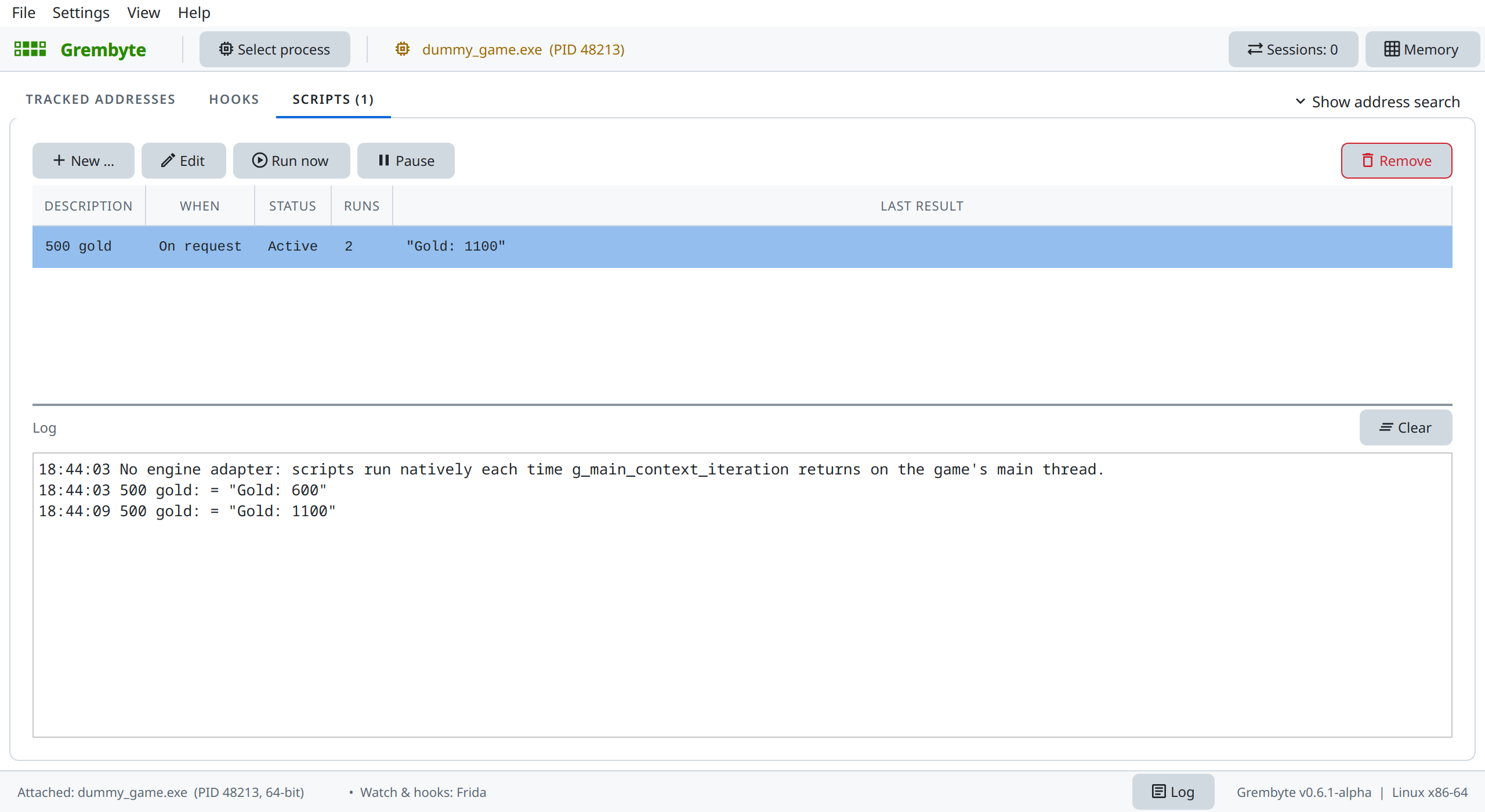
add_gold. The first run says where native scripts run in this game.The game has no engine adapter, so Grembyte runs the script on the game's main thread when GTK's main loop returns from an event (see scripts in native games). n.rip(addGoldAt, 3, 7) reads the RIP-relative address in mov rax, [rip + …]: the displacement starts at byte 3 of the 7-byte instruction. For an instruction like that, Copy script writes this line itself.
The script keeps working after New game: it calls the game's code instead of writing to an address, and the game's code always finds the current player.
Next: the way to the gold
A pointer chain from the code reads the chain g_game → 0x28 → 0x0 from add_gold, puts the gold on the address list so it survives New game, and explains how to tell a step of a chain from an offset.
What carries over to real games
- A text the game shows or logs (a menu entry, a message, a console command) leads to the code using it. In a game without symbols the functions are called
sub_…; the strings, the imports (gtk_…,SDL_…,kernel32.dll!…) and the callers still tell what they do. - Short functions that change one value, like
add_gold, are what scripts call best: one argument, no object to pass. - Patterns survive updates that do not change the function itself. If a script reports that its pattern is no longer found, open the function again in the code explorer and copy the new one.