HermesQuest: hooks
Grembyte has two kinds of hooks, and HermesQuest is built to show both:
| Value hook | Method hook | |
|---|---|---|
| Catches | one write instruction, found with the write watch | one method of the game, found in the catalog |
| Sees | the old and the new value | the method's arguments, its object (this) and its result |
| Works in | every game | Unity (Mono, IL2CPP) and Unreal games |
| Script | a hook template | a method script |
The examples assume you have tracked Gold, Mana and Health as in Scans and pointer scan, ideally with pointer chains.
Value hooks
Ten times the gold
- Right-click "Gold" → Address watch (writes).
- Kill an enemy in the game. The watch lists one row: the instruction that added the gold. In a Mono game the code was compiled at run time and lies in no module, so Grembyte names it by its C# method:
AddGoldof the classCharacter, plus an offset into it. - Select the row → Create hook, template Multiplier, factor
10, Increases only.
From now on every kill brings ten times the gold. The column Last in the Hooks tab shows each write as old → written by the game ⇒ stored, e.g. 12 → 17 ⇒ 62.
What happens: the game executes Stats.Gold += amount. The hook sits on exactly that instruction and replaces the result with old + (new − old) × 10. The game's own code and the log don't know about it – the log still says "5 gold", the character sheet shows the multiplied amount.
After a restart
Code compiled by Mono moves with every start. A value hook in such code remembers its C# method: when HermesQuest starts again, Grembyte has Mono compile AddGold and installs the hook in it right away. This needs the tracked address to have a pointer chain; see Hooks after a restart.
Protecting the player, not the enemies
Health shows the classic problem of shared code: player and enemies are both Character, and the same instruction in TakeDamage lowers everyone's health.
- Track the player's Health (
float, 50 at the start; take a hit, then Decreased). - Right-click it → Address watch (writes), then let an enemy hit you, and rest with R.
The watch shows more than one row, because three methods write health:
| Method | When |
|---|---|
Character:TakeDamage |
every hit, on player and enemies |
Character:Heal |
resting with R |
Character:LevelUp |
a new level refills health |
Select the TakeDamage row → Create hook. Instead of a built-in template, use one of your own: in View → Hook templates … create a template "Halve damage" with this function:
Read it as: if the value goes down (ctx.delta < 0), store the old value plus half the change, otherwise keep what the game wrote. The JavaScript page explains each part.
Although the instruction also lowers the enemies' health, the hook only acts on its target: the player's Health address, resolved through the pointer chain at every write. Enemies still take full damage. The debug window shows it – select the hook, click Debug, and fight: the enemies' writes appear as skipped, with the reason "writes another address".
Why the pointer chain matters here
Without a pointer chain, a hook recognises its target after a restart by the callers that wrote it (see caller learning). Here that cannot work: player and enemies are hurt through the same call chain (ApplyDamage → TakeDamage), so the callers are the same. Give Health a pointer chain before relying on this hook across restarts.
Variations
- Never below 1 health: template Clamp, minimum
1. The player can still be hit, but not killed. - No damage at all: template Fixed value on the
TakeDamagerow, with your maximum health as value. Resting and level-ups still work, because they are other instructions.
Method hooks
A method hook does not need the write watch. It catches a whole method, and its script sees the method's arguments by name. For HermesQuest the right place for anything about damage is Combat.CalculateDamage: every hit of everyone goes through it, and its result is the damage that will be dealt.
Find the method and watch it
- View → Catalog …, type
CalculateDamageinto the filter. - Select the method
CalculateDamageof the classCombat– its parameters show as(Character,Character,single),singlebeing C#'s name forfloat– and click Monitor. - Fight a little. The method monitor lists every call with its arguments –
attacker,target,baseDamage– and the result.
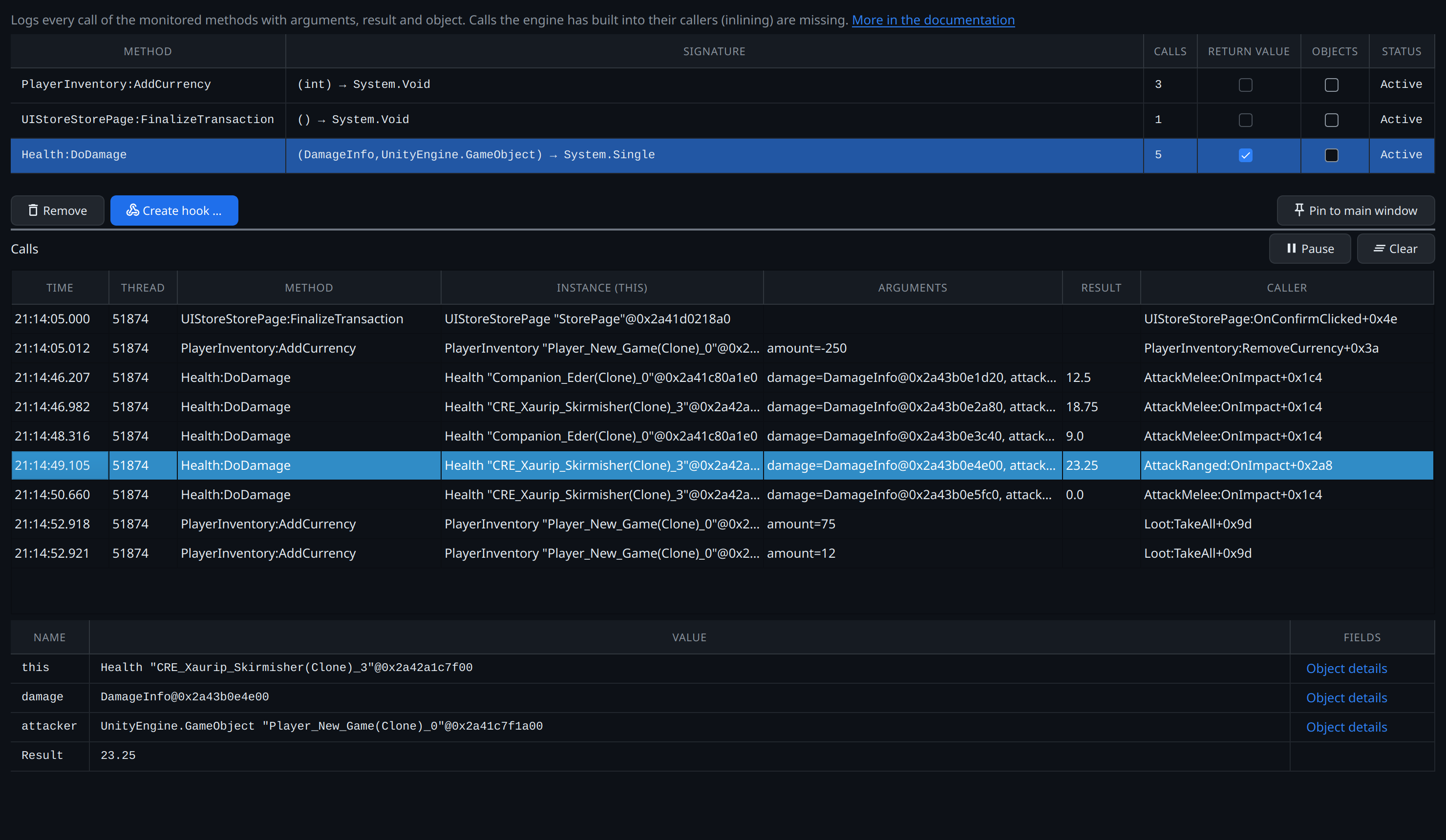
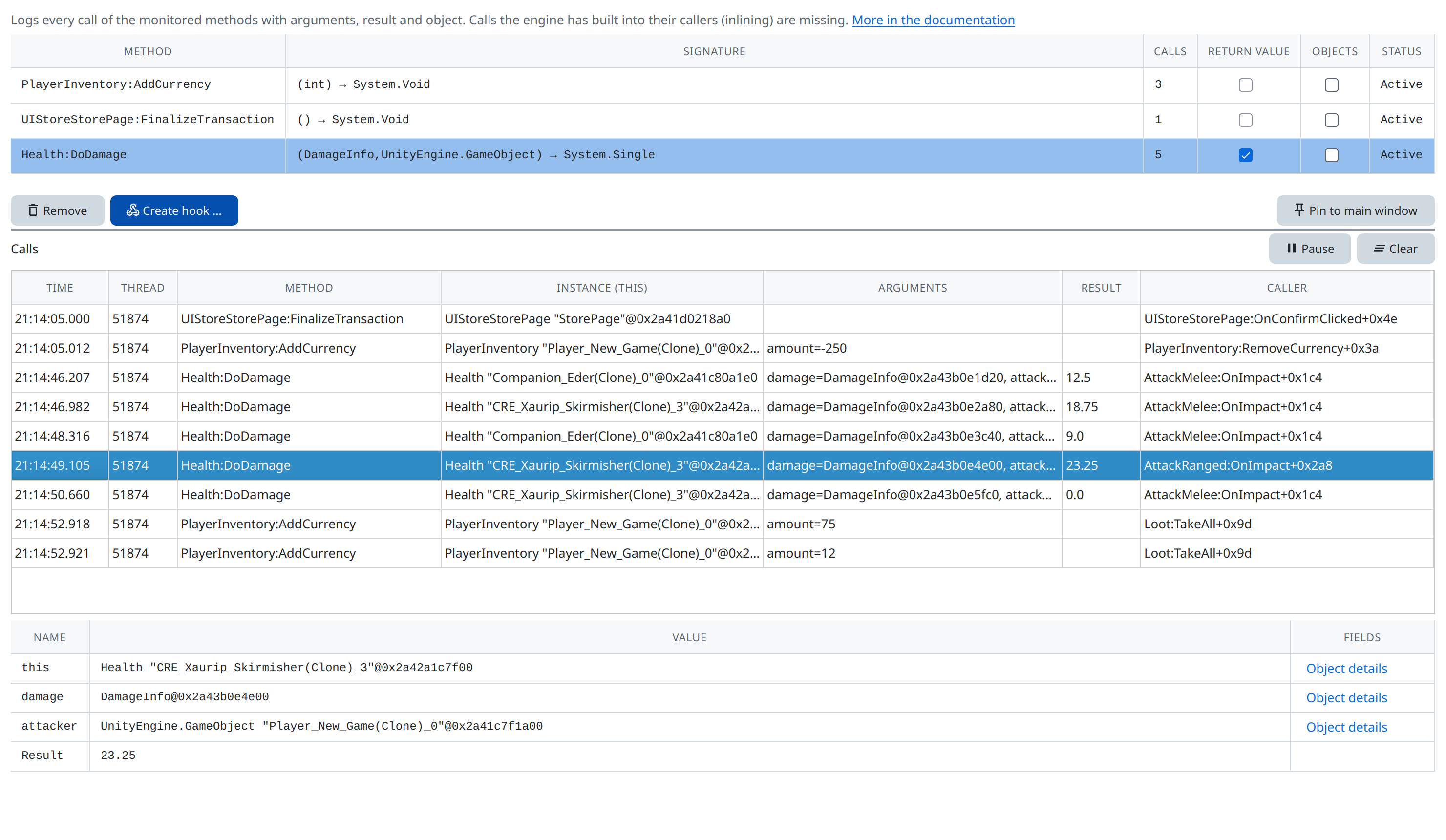
Select the method in the monitor and click Create hook …. The dialog asks for a template and for When the script runs:
- After the call: change the result – the script sees
ctx.resultand can return a new one. - Before the call: change arguments and fields – the script can change
ctx.argsand objects before the method uses them.
Everyone hits twice as hard
Template Result × factor, factor 2, after the call. Every damage, of the player and of the enemies, is doubled. The message log still shows x1 x1 as multipliers, but the damage dealt is doubled; the F1 view marks the result as changed.
That is rarely what you want. The next step makes the hook tell attacker and target apart.
Only the player hits harder, and takes less
Template Method script, after the call, with this code:
// After Combat.CalculateDamage: ctx.result is the damage it computed.
if (ctx.args.attacker.IsPlayer)
  return ctx.result * 3;      // the player deals three times the damage
if (ctx.args.target.IsPlayer)
  return ctx.result / 2;      // and takes half
// no return: every other hit stays as it is
Line by line:
ctx.args.attackeris the method's first argument, aCharacterobject..IsPlayerreads its fieldIsPlayerfrom the game's memory –trueorfalse.return ctx.result * 3ends the script and replaces the method's result. The game then deals that damage.- If neither condition holds, the script ends without
return, and the game keeps its own result.
Lines starting with // are comments and change nothing.
God mode, the right way: before the call
Suppose you want the player to take no damage at all. A hook after Character.TakeDamage comes too late: that method has already lowered Stats.Health when it returns; its result is only the health lost. So hook it before the call and change its argument:
Method TakeDamage (single) of Character, template Method script, Before the call:
// Before Character.TakeDamage(amount): ctx.this is the character hit.
if (ctx.this.IsPlayer)
  ctx.args.amount = 0;
ctx.thisis the object the method runs on – here theCharacterbeing hit.ctx.args.amount = 0changes the argument before the method sees it.TakeDamagethen subtracts 0.- Enemies are hit normally, because for them
IsPlayerisfalse.
The message log now reports 0 damage for hits on the player, next to the base damage that would have hit. Your own hits on enemies count in full.
Double experience
Method AddExperience (double) of Character, Method script, before the call:
Kill a goblin: instead of 10.25 the player gains 20.5 experience, and level-ups come twice as fast – the game's own LevelUp runs as usual, because the hook changed what AddExperience received, not the stored value.
For AddGold (int) the same idea needs whole numbers, because the parameter is an int:
Value hook or method hook?
| Goal | Better |
|---|---|
| Multiply, fix or clamp one value | Value hook – simplest, and works in any game |
| Treat player and enemies differently | Method hook on CalculateDamage or TakeDamage, checking IsPlayer |
| Change what a method works with (its arguments) | Method hook, before the call |
| Survive a new game without a pointer chain | Method hook – it catches the method, whichever objects it is called for |
Both kinds are stored per program and reinstalled the next time you attach to HermesQuest. They can be paused, debugged and removed in the Hooks tab.