Code explorer
View → Code explorer … finds the code behind something the game shows or logs. It reads a module's file – the game's executable or one of its libraries, a PE image (also under Wine/Proton) or an ELF file – and lists its strings, the instructions that refer to them, its functions and their callers. Because it reads the file and not the game's memory, it cannot disturb the game, and it also works without a game attached (Open file …). x86 and x86-64 code is supported.
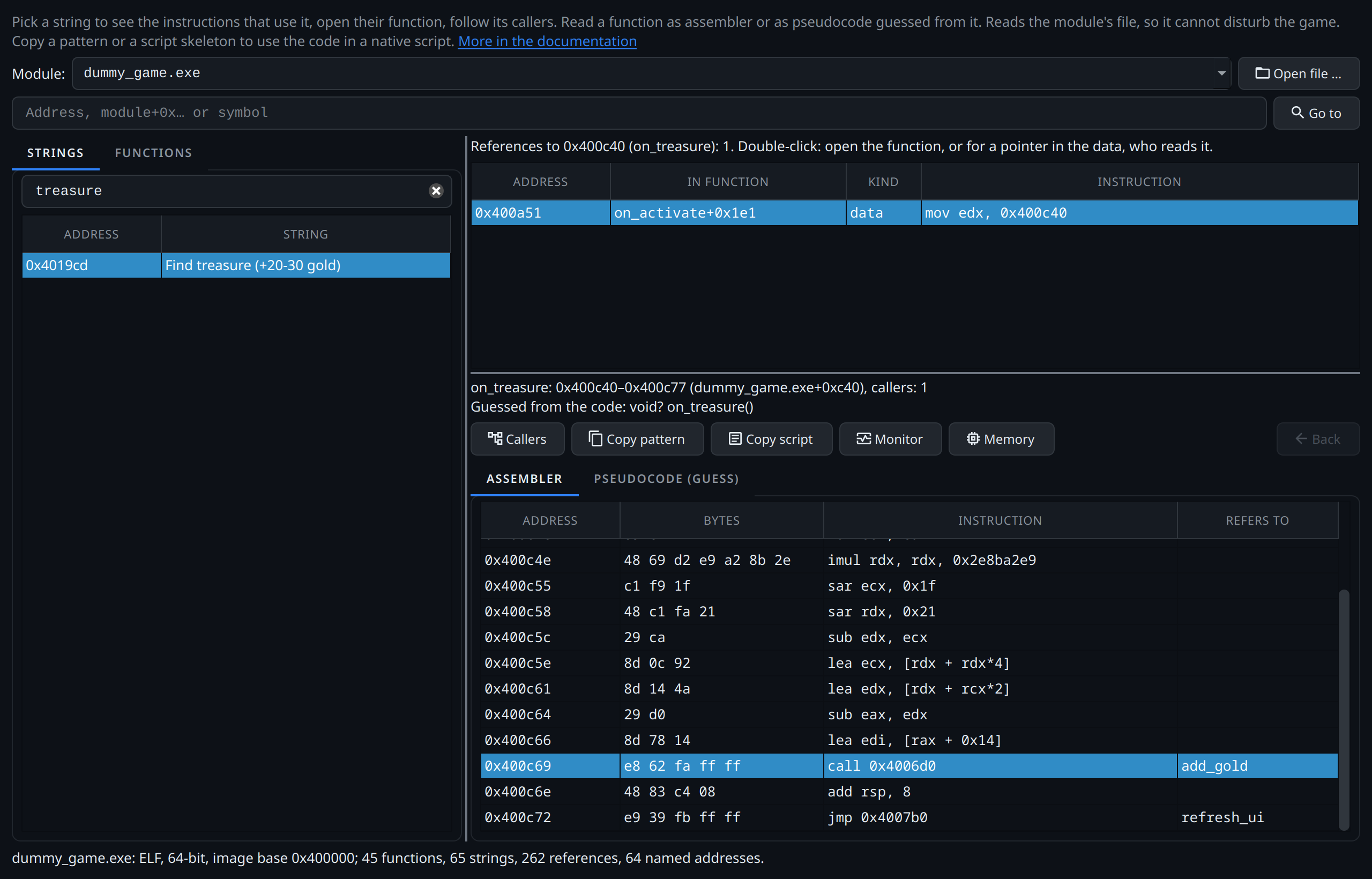
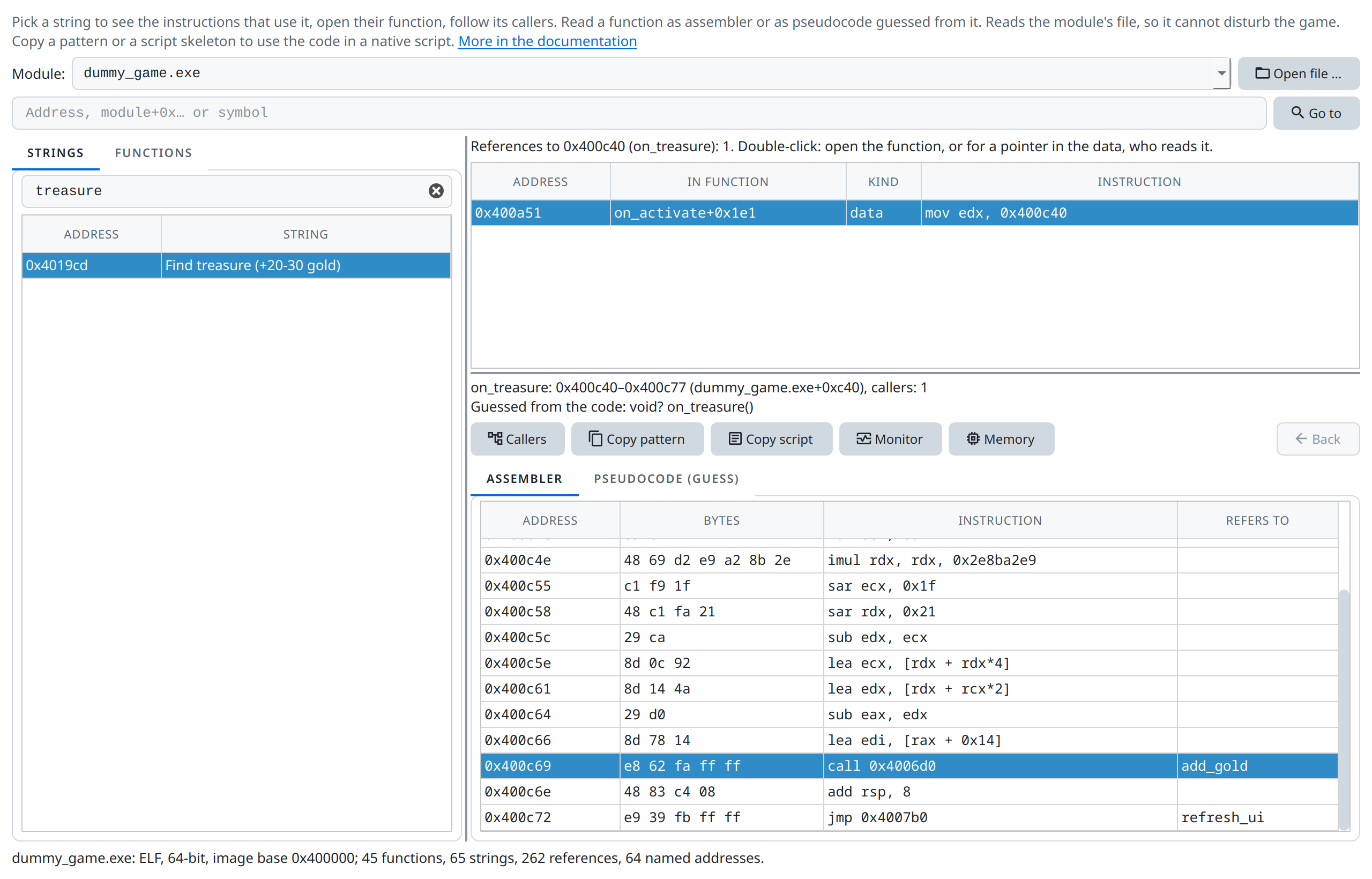
on_activate that hands its handler on_treasure to GTK, and on_treasure calling add_gold.Step by step with the test game
The code explorer example goes from the button Find treasure of the tutorial's test game to the function that pays out the gold, and ends with a native script that gives 500 gold through it.
It is the static counterpart of the native trace and monitor: the trace shows which functions run, the explorer shows what a function does and who calls it. A function found here can be called from a script.
From a string to the code
Most ways into unknown code start with a text: a menu entry, a message, a log line, a console command. New to assembly? The assembly quick reference explains what the disassembly shows.
- Choose the module. The game's executable comes first, then the modules in its folder. Indexing a large executable takes a few seconds; the window keeps the result while Grembyte runs.
- Type words of the text into the filter of the Strings tab and select the string. The references list shows every instruction that loads its address, with the function it is in.
- Double-click a reference to open its function. Above the disassembly, the explorer shows the function's signature guessed from its code (x86-64):
void add_gold(int rdi), from the argument registers the function reads before writing them and from what its callers do with the result – see how it is guessed. The disassembly names what instructions refer to: strings, functions, imported functions of other modules (SDL_PollEvent,kernel32.dll!CreateFileW), and pointers to strings or functions. - Callers lists who calls the function. Double-click one to go there; Back returns.
Pseudocode
The tab Pseudocode (guess) next to the disassembly shows the function as C-like code, at most one statement per instruction. The beginning of refresh_ui in the test game reads:
void refresh_ui(void)
{
    rbx = *(uint64_t *)(g_game + 0x28);     // 0x4007cc  g_game → 0x28
    eax = 0;                                // 0x4007d0
    snprintf(rsp, 0x100, "Gold: %d", *(int32_t *)rbx); // 0x4007d4  g_game → 0x28 → 0x0
    …
The comment after a statement holds the address of its instruction, in the code: it leads to the line in the disassembly, not to a value in memory. Where the statement reaches memory from a global, the comment adds the pointer chain to it, written as the pointer scan writes it: g_game → 0x28 → 0x0 is the pointer in g_game, plus 0x28, the pointer read there, plus 0x0 – the gold. The chain stays valid when the game allocates a new player, an address read in the game does not.
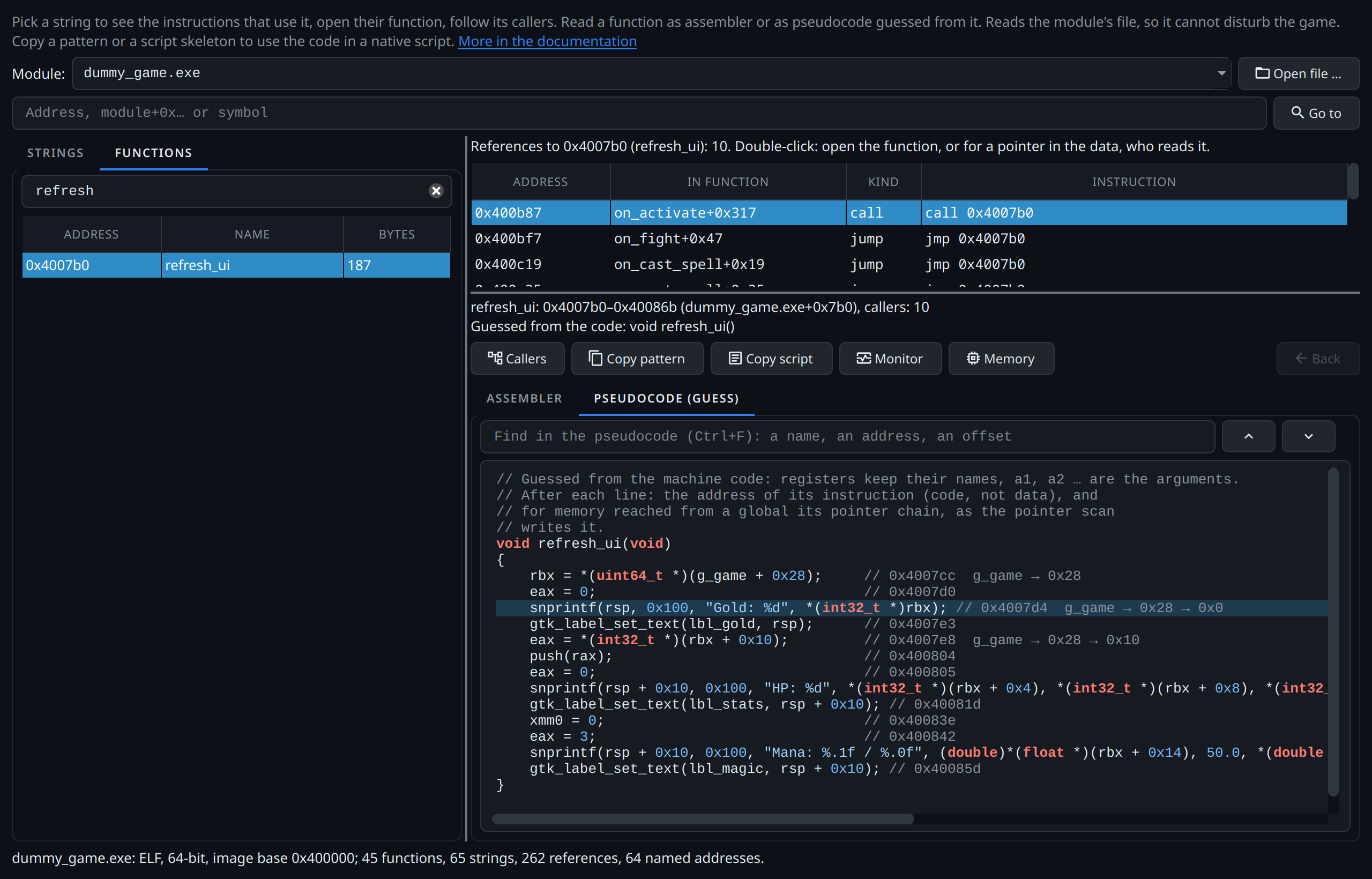
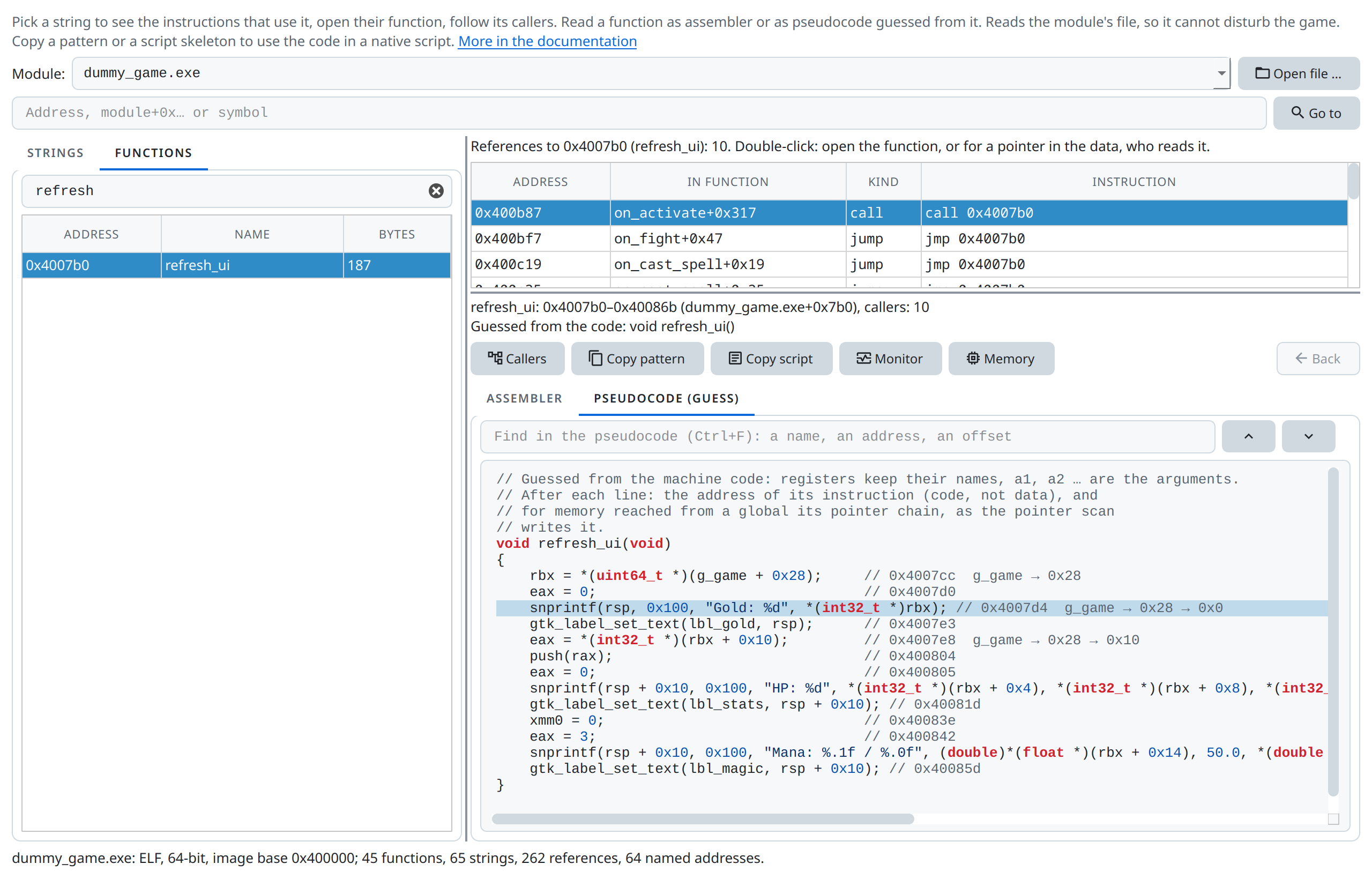
refresh_ui as pseudocode, at the instruction selected in the disassembly: the call of snprintf that reads the gold through g_game → 0x28 → 0x0. Above it the find bar, above that the callers of refresh_ui.- The head is the guessed signature. Arguments are called
a1,a2… until their register is overwritten; all other values keep their register's name, so each line matches its instruction in the disassembly. - Globals, strings, functions and read-only constants appear by name or value (
g_game,"clicked",7.5f) instead of[rip + 0x2a31]. A global without a name starts a chain asmodule+0x…. - A value used only once, right after it is computed, is folded into that use:
rbx = *(uint64_t *)(g_game + 0x28)instead ofrax = g_game;andrbx = *(uint64_t *)(rax + 0x28);. A value read more than once, or read after a branch, stays in its register. - Calls show their arguments and the register the caller reads the result from:
eax = rand();,add_gold(eax + 20);. Arguments come from the assignments to argument registers just before the call (folded into it) and from the callee's guessed signature. Without either, a register stands for an argument;...means more may follow on the stack. - Conditions come from the instruction that set the flags:
if (a1 <= 0) goto loc_…;, unsigned comparisons with a cast, float comparisons as such. If a register the comparison read changes before the jump, the condition stays/* flags of cmp … */. - Saving registers and the stack frame are left out; a jump to another function is a call followed by
return. - There are no loops or
if/elseblocks, onlygoto, and no variables beyond registers. Instructions it does not translate stay asasm("…").
Switching tabs keeps the place: the pseudocode opens at the line of the instruction selected in the disassembly (or the next line, if that instruction has none of its own), and clicking a line of the pseudocode selects its instruction, so Monitor, Copy pattern and the other actions work from there. Ctrl+F finds a text in the pseudocode – a name, an address such as 0x4007e8, an offset such as 0x14; Enter and Shift+Enter go to the next and previous match.
It is a reading aid, not a decompiler: read it next to the disassembly, and check what matters there.
Step by step: a pointer chain from the code
The pointer chain example reads the chain of the test game's gold from add_gold, puts it on the address list so it survives New game, and explains how to tell a step of a chain from an offset.
Found by a write watch
The write watch lists the instruction after the write (Trap PC after write): the processor reports a write once the writing instruction has finished. The instruction that wrote is the one before it in the disassembly.
A string is not always loaded by the code directly. Tables of names (commands, settings) hold pointers to their strings; the explorer lists such a pointer as a reference of the kind pointer. Double-clicking it shows who reads that table entry.
Go to takes an address of the file (e.g. 0x140257270), an address in the game's memory, module+0x…, or the name of an export or symbol. Code opens its function; data shows who refers to it. Double-clicking an instruction follows the address it refers to.
Using what you found
| Button | Does |
|---|---|
| Copy pattern | Copies the shortest unique byte pattern starting at the selected instruction (or the function's start). Addresses, branch targets and RIP-relative displacements become ??, so the pattern still matches after an update that moved the code around. The status line says whether it is unique. |
| Copy script | Copies a native script that finds the selected instruction or function by that pattern. For a function it prepares a call with ctx.native.fn, with the arguments and return type guessed from the code; for an instruction loading an address it resolves that address (ctx.native.rip, or the absolute address in a 32-bit game). Paste it into a new script and adjust it. |
| Monitor | Logs the calls of the function, or the runs of the selected instruction, in the native function monitor. Needs the game attached. |
| Memory | Shows what the selected instruction refers to in the memory viewer. Needs the game attached. |
Symbol names
The explorer uses names wherever available: in the function list, references, disassembly, pseudocode and Go to. ELF files supply their symbol tables; PE files supply exports and imports.
Names from the engine
IL2CPP and Unreal games compile their code ahead of time into a module the explorer reads, and their engines know what that code is called. With the game attached, Engine names asks the engine adapter and names the module's code:
- IL2CPP: every C# method in
GameAssemblyasNamespace.Class:Method. Code several methods share (identical code folded by the linker, shared generic code) is named after one of them, with the number of the others:List:Clear [+12]. - Unreal: every native
UFunction's exec thunk asClass::execName, the wrapper Blueprint calls go through into C++. Blueprint functions run in the script interpreter and have no code of their own.
The names are added to the module loaded in the explorer and stay until it is closed; names from the file (symbols, exports) keep priority. Mono games are not covered: their C# code is compiled while the game runs and lies in no file.
Class names from C++ RTTI
Polymorphic C++ classes keep their names in the file for typeid and
dynamic_cast, even in stripped builds without symbols. The explorer reads this
run-time type information (MSVC in PE files, GCC/Clang in ELF files) and names
each class's vtable and the virtual methods in it by their slot:
CGameSprite::vftable, CGameSprite::vf12. Underkeep's underkeep.exe, for
example, gives 163 classes this way.
- A method several classes share without overriding it keeps the name of the most basic class (the one with the shortest vtable).
- A function found in different slots (a shared stub such as
_purecall, or identical code the linker folded together) gets no name. - With multiple inheritance the further vtables are named by their offset in the
object (
Both::vftable@0x10); only the first one names methods. - Template arguments are shown as
<…>, so instances of a template share their name. - Names from symbols, exports and PDBs take precedence.
Limits
- Functions come from the executable's exception directory (64-bit PE), its symbols (ELF), its exports and the targets of calls; names from its symbols, exports, imports and C++ RTTI. Code reached only through tables of addresses may show no function; Go to still finds its references.
- The disassembly is a linear sweep: data inside the code section (jump tables) shows as odd instructions.
- Code a runtime compiles while the game runs is in no file and not in the explorer: the C# methods of Mono games (the write watch names them, e.g.
Scripts:GivePlayerMoney+0x61), scripts of other virtual machines. For C# use the catalog, the calls and the method monitor; IL2CPP games compile C# ahead of time intoGameAssembly, which the explorer does read. - Packed or encrypted executables (some copy protections) hold no readable code in their file.